
Feature
Customer feedback and support ratings
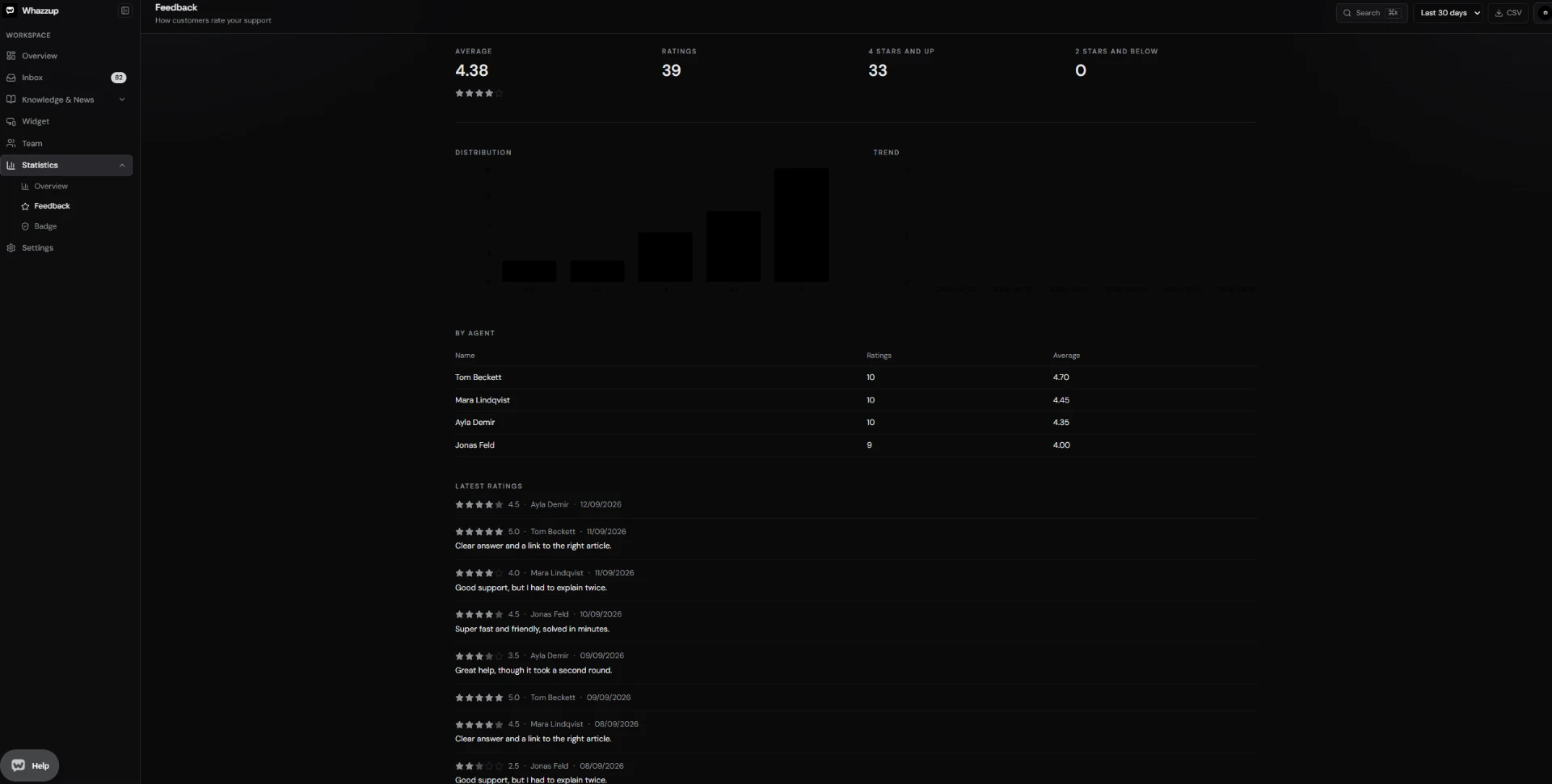
Whazzup asks the customer for a rating once a ticket is solved, stores the score with an optional comment, and aggregates it per agent, per day and into an embeddable badge.

Key points
- Ratings in half steps from 0.5 to 5.
- Optional comment field with your own question and thank-you text.
- Breakdown per agent, per day and per score bucket.
- Public badge with average score and optional reply time (Unlimited).
At a glance
- Included in Free
- Yes, collecting and reporting ratings
- Scale
- 0.5 to 5 in half steps
- Website badge
- Unlimited plan
- Setup time
- One switch in the widget settings
Set it up in three steps
- 1Open Widget → Feedback and switch the rating question on.
- 2Solve tickets as usual; the question appears afterwards.
- 3Read the results under Statistics → Feedback.
Frequently asked questions
When is the rating requested?
After the ticket is solved or archived, never during an open conversation.
Does the badge show individual comments?
No. The badge only shows aggregated numbers.
More features
- Shared inbox for chat and email
- Live chat widget for your website
- Knowledge base and help center
- Screen sharing support without downloads
- Email ticketing that stays in the thread
- Product ideas board inside your widget
- Support reports and response times
- Teams, roles and permissions
- Chrome extension for faster answers