
Feature
Screen sharing support without downloads
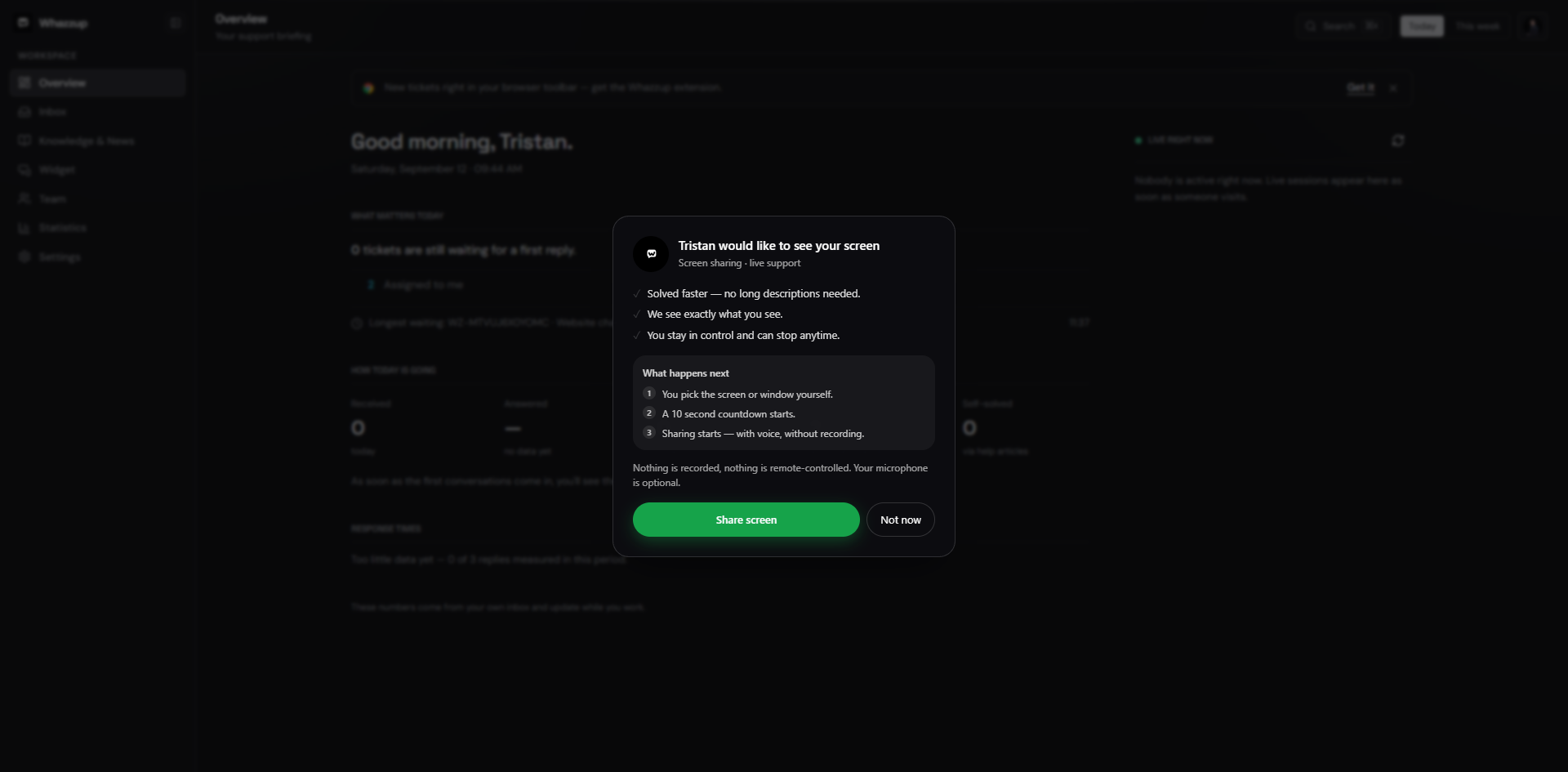
Screen sharing lets a customer show their browser tab or screen from inside the chat after giving consent; the agent can talk, point and highlight, but never takes control and nothing is recorded.
Key points
- Consent screen with a clear list of what the agent can and cannot do.
- No download and no extension: it runs in the browser.
- Audio is always on, camera is optional, pointer and highlights included.
- Pause and resume, plus a visible timer for the whole session.
- Start, end and duration are written into the ticket history.
At a glance
- Included in Free
- 3 sessions per month, up to 5 minutes each
- Unlimited plan
- Unlimited sessions, up to 15 minutes each
- Remote control
- Not available by design
- Recording
- None
- Setup time
- No setup, start from any ticket
Set it up in three steps
- 1Open the ticket and take it over.
- 2Press Start remote help; the customer sees the consent screen.
- 3The customer picks a tab or screen and the session begins.
Frequently asked questions
Can the agent click for the customer?
No. There is no remote control; the agent can point and highlight only.
Is the session recorded?
No. Only start time, end time and duration are stored in the ticket.
What does it cost?
Free includes 3 sessions per calendar month of up to 5 minutes. Unlimited ($25 per month incl. tax) has no session limit and allows up to 15 minutes.
More features
- Shared inbox for chat and email
- Live chat widget for your website
- Knowledge base and help center
- Email ticketing that stays in the thread
- Customer feedback and support ratings
- Product ideas board inside your widget
- Support reports and response times
- Teams, roles and permissions
- Chrome extension for faster answers