
Feature
Shared inbox for chat and email
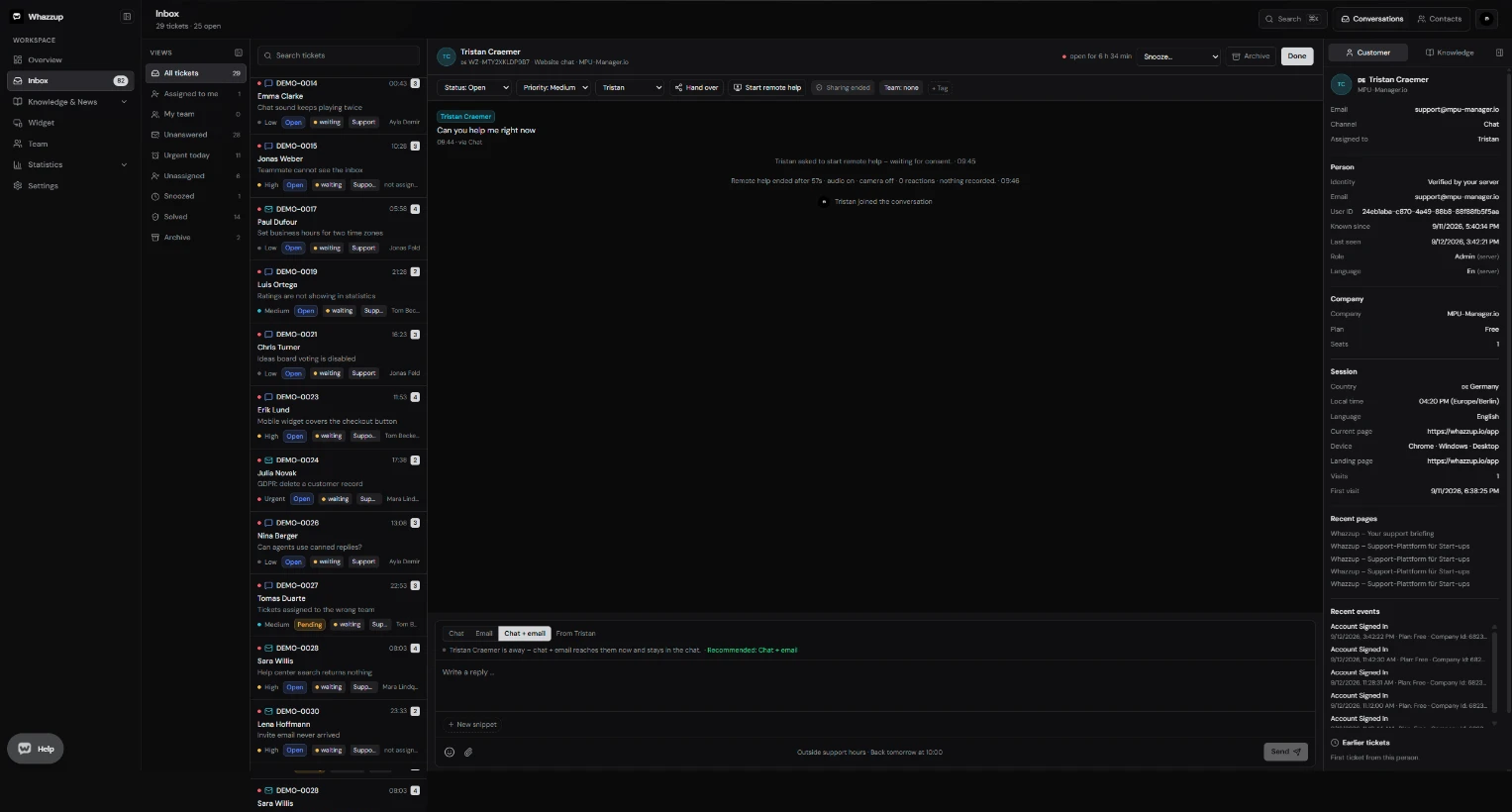
A shared inbox is one list where every customer message from website chat and email arrives, so a whole team can answer from a single place instead of a personal mailbox.
Key points
- Chat and email in one thread: an email reply lands in the same ticket as the chat it started from.
- Queues for assigned, unanswered, urgent, snoozed, solved and archived tickets.
- Takeover before replying, so two agents never answer the same customer twice.
- Customer context beside the thread: plan, company, pages visited, events and earlier tickets.
- Snoozed tickets reopen automatically when the customer writes again.
At a glance
- Included in Free
- Yes, with unlimited conversations
- Channels
- Website chat, email
- Seats
- 1 on Free, 5 on Unlimited, extra seats $4.9 incl. tax
- Setup time
- About 5 minutes
- Languages
- English and German, switchable per user
Set it up in three steps
- 1Create a workspace and confirm your email address.
- 2Paste the widget snippet into your site so chats arrive.
- 3Invite your team and set who may see billing and settings.
Frequently asked questions
How many conversations can I handle on the free plan?
Unlimited. The free plan is limited by seats, not by conversation volume.
Can customers reply by email?
Yes. Every notification carries a reply address, and the answer appears in the original ticket.
Do solved tickets reopen?
Yes. A new message on a solved or snoozed ticket moves it back into the open queue.
Can I restrict what agents can do?
Yes. Billing, API, installation and general settings are admin-only; extra rights for the widget, team and support hours can be granted per person.
More features
- Live chat widget for your website
- Knowledge base and help center
- Screen sharing support without downloads
- Email ticketing that stays in the thread
- Customer feedback and support ratings
- Product ideas board inside your widget
- Support reports and response times
- Teams, roles and permissions
- Chrome extension for faster answers